Guides · Transfer Problems
Can You Cancel a SWIFT Transfer? What Actually Works, and When It's Too Late
One fact decides everything: has the money reached the recipient's account yet? Here's what your bank can do at each stage, and exactly what to say when you call.
Quick answer
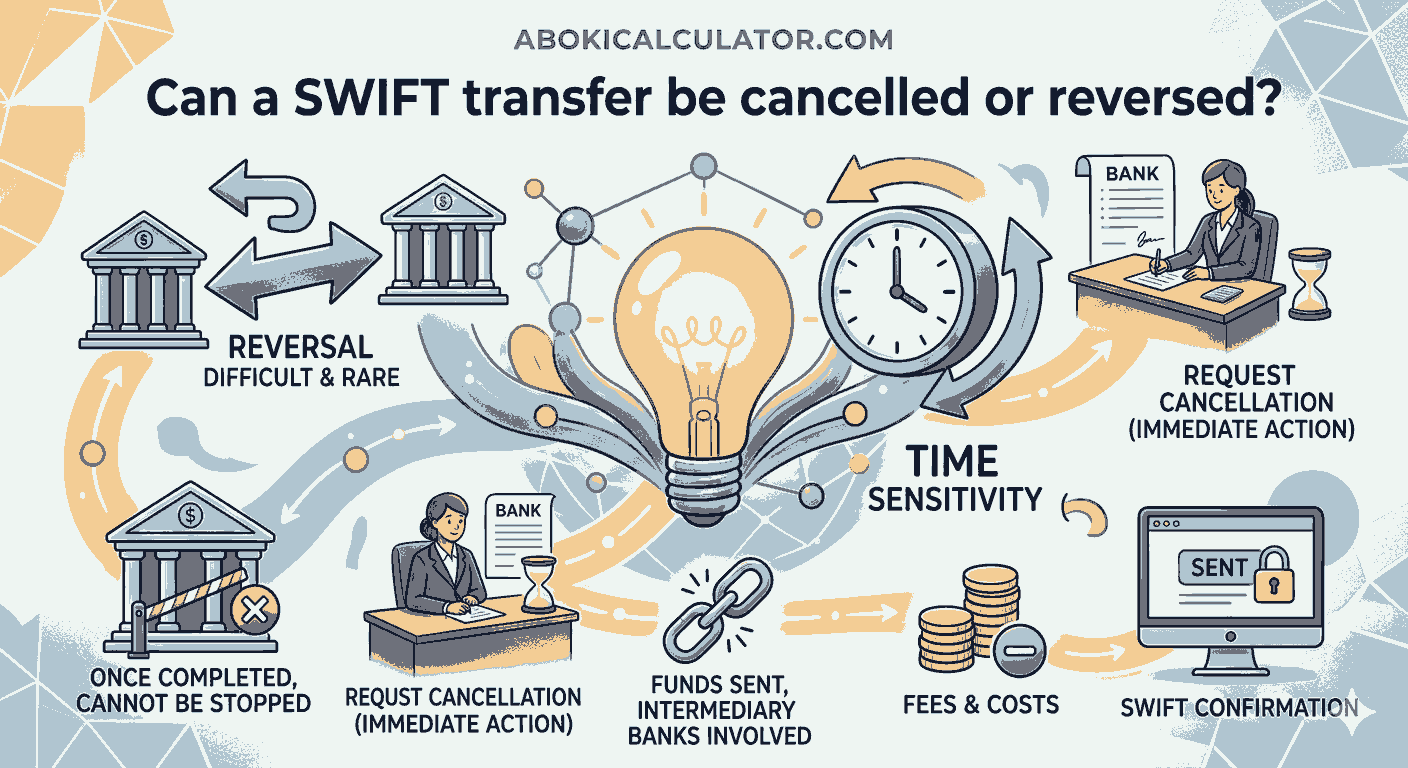
Before the money reaches the recipient's account, your bank can usually stop it. It sends a cancellation request to the next bank in the chain, and the payment is held rather than paid out.
Once the money has been credited to the recipient, your bank can no longer take it back on its own. It can only ask the recipient's bank to return it, and that bank generally needs the recipient's permission to hand the money back. Getting it back at that point depends on the recipient agreeing, or, in fraud, on the receiving bank's own fraud process.
What to do: call your bank immediately, ask for a SWIFT recall (or "cancellation request"), and give it the UETR (the payment's tracking reference). Speed is what decides whether this works.
On this page
The one question that decides everything
Not yet credited to the recipient
The money is still with your bank, an intermediary bank, or sitting at the recipient's bank waiting to be posted. A cancellation request can usually stop it here. This is the best position to be in, and the reason to act fast.
Already credited to the recipient
The money is legally in the recipient's account. Your bank can only ask the recipient's bank to return it. That bank generally needs the recipient's agreement, because taking money back out of someone's account without permission isn't something a bank can just do.
In the US, this split has a legal basis: under the Uniform Commercial Code, a sender can cancel a payment order if the bank gets the message in time to act on it before accepting the order; once the bank has accepted it, cancellation needs the bank's agreement or a payment-system rule that allows it.
How a bank actually cancels a SWIFT payment
Your bank doesn't press an "undo" button. It sends a message asking the next bank to stop the payment:
- The cancellation request. Banks send a formal message (a
camt.056in the current ISO 20022 format, or the older MT192) asking the bank holding the payment to cancel it, with a reason such as it being sent to the wrong account or a duplicate. - Swift's Stop and Recall service. Where both banks use it, this can stop a payment automatically while it's still moving and notify every bank in the chain through the tracker, rather than waiting for each bank to act on a message in turn.
- The receiving bank's reply. It confirms back (a
camt.029) whether the payment was stopped, is still pending, or has already been paid out. - If it's already paid out, the receiving bank must ask its own customer, the recipient, for permission to debit the money back before it can return it.
None of this needs your involvement directly. Your job is to give your bank the details fast and accurately, then let it work through the network.
What happens to your money
- Stopped in time: the payment is held rather than paid out, and is returned to you or you resend it correctly, minus any handling fees banks along the chain deduct.
- Already credited, recipient agrees: their bank arranges the return once it has their permission.
- Already credited, recipient doesn't respond or refuses: your bank cannot force it. In a genuine mistake between people who know each other, this is usually resolved by asking directly. In fraud, it becomes a matter for the recipient's bank's fraud team and, often, the police.
- Fees apply either way. Banks along the chain can charge for handling a cancellation or recall, whether or not it succeeds.
There's no fixed timeframe for any of this: it depends on how many banks are involved, how quickly each one replies, and whether the recipient's bank needs to reach its customer. Ask your bank for a case reference and follow up rather than assuming a specific number of days.
What to do, right now
- Call your bank immediately, don't just send a message through the app. Ask for the international payments or SWIFT recall team, and use those words.
- Give the exact details: amount, currency, date and time sent, the recipient's bank and account, and, if you have it, the transaction or payment reference your bank gave you.
- Ask for the UETR, the payment's tracking reference, and ask your bank to check the payment's current status before it submits the cancellation, so it knows whether the money has already been credited.
- Say why: wrong account, wrong amount, duplicate payment, fraud, or a change of plans. The reason affects how the receiving bank handles it.
- Follow up in writing (email or your bank's secure messaging) after the call, so there's a written record with the same details.
- Don't send a replacement payment yet if you're not sure the first one is stopped. Confirm its status first.
Track the original payment while the cancellation is in progress
Find the UETR and check the payment's current status, so you know whether it's still moving or has already been credited.
Open the SWIFT payment trackerIf it was a scam
- Call your bank straight away and say clearly that you believe it's fraud. Banks prioritise fraud-flagged cases and can alert the receiving bank to freeze the account while it investigates.
- Report it to the police or your country's fraud-reporting service, not just your bank.
- Keep everything: messages, invoices, the payment confirmation and any names or numbers you were given.
Recovery isn't guaranteed, and it depends on the money still being in the account and the receiving bank acting quickly. Be wary of anyone who contacts you afterwards offering to "recover" the money for an upfront fee: that's frequently a second scam.
If you sent it to someone you know
If the recipient is genuinely reachable and it was a mistake, such as the wrong saved beneficiary, contacting them directly can be faster than a formal bank process. Explain what happened and ask them to instruct their own bank to return the money. Their bank will still need their authorisation either way, so a cooperative recipient can make this much quicker.
Avoiding the next one
- Check every detail before confirming. Use our IBAN validator, NUBAN validator or SWIFT code checker. A valid format catches typos, but doesn't prove the account belongs to who you think.
- Look at the saved beneficiary name shown on screen, not just the amount, before you confirm. Many duplicate or wrong-recipient errors come from picking the wrong saved payee.
- Confirm new or changed bank details by phone, on a number you already know, never by replying to the message that sent them.
- For a large payment to a new recipient, consider sending a small amount first and confirming it arrives correctly.
For Nigerian users
- Sent from a Nigerian bank in error? Call the bank immediately and ask for a SWIFT recall, with the same details above.
- Think you've been scammed? Report it to your bank first, then to the Economic and Financial Crimes Commission (EFCC), and you can also report to the Central Bank of Nigeria. If your bank doesn't resolve your complaint within two weeks, escalate to the CBN's Consumer Protection Department.
- Receiving money in Nigeria? If a sender's bank asks your bank to return a payment, your bank will normally ask you before debiting your account, unless it's already established as fraud.
Related questions
Can a SWIFT transfer be cancelled?
Yes, but only reliably before the money reaches the recipient's account. Your bank sends a cancellation request to the bank holding the payment. Once the money has been credited, your bank can only ask the recipient's bank to return it, and that bank generally needs the recipient's agreement.
How do I cancel or recall a SWIFT payment?
Call your bank's international payments team immediately, don't just message through the app, and ask for a SWIFT recall or cancellation request. Give the exact amount, date, recipient's bank and account, and the payment's UETR if you have it. Follow up in writing afterwards.
What is a UETR and why does it matter for a cancellation?
The UETR is the unique reference that follows a SWIFT payment from bank to bank. Your bank uses it to identify exactly which payment to cancel and to check its current status before submitting the request, which is faster and more reliable than searching by amount or date alone.
Can the recipient's bank refuse to return the money?
If the money hasn't been credited yet, the bank generally acts on a valid cancellation request. If it has already been credited, the receiving bank normally needs the recipient's permission before it can debit the account, so it can only ask, not take the money back on its own.
Will I get a full refund if the cancellation works?
Not always. Banks along the chain can charge fees for handling a cancellation or recall, whether or not it succeeds, so the amount returned can be a little less than what you sent.
What should I do if I sent money to a scammer?
Call your bank immediately and say clearly that it is fraud, so it can flag the case and alert the receiving bank. Report it to the police or your country's fraud-reporting service as well. Recovery is not guaranteed and depends on the money still being in the account.
How long does a SWIFT cancellation take?
There is no fixed timeframe. It depends on how many banks are involved, how quickly each replies, and whether the recipient's bank needs to reach its own customer for permission. Ask your bank for a case reference and follow up rather than expecting a set number of days.
Keep going
Sources
- Payments Market Practice Group, Best Practice Guidance for the Return of Funds and Rejects of Payments (September 2023, published by Swift): the
camt.056cancellation request andcamt.029status reply; a bank that has already paid out must seek its customer's debit authorisation before returning funds. - Swift, Swift GPI: the Stop and Recall service.
- Uniform Commercial Code, § 4A-211 (cancellation and amendment of a payment order, US law): cancellable before the bank accepts it; after acceptance, only with the bank's agreement or a system rule.
- Central Bank of Nigeria, Fraud and Scam Awareness and Complaints management.
This guide explains how SWIFT payment cancellations generally work. It is not legal or financial advice. Every bank's process and timing differs, and recovery is never guaranteed once money has been credited. If you have lost money to fraud, contact your bank and the police immediately.